Add product JSON-LD to WooCommerce (for developers and for your AI agent)
The exact, verified way to put AI-search JSON-LD on a WooCommerce product page — server-side, and multilingual. Do it yourself with the steps below, hand the runbook to your AI agent, or let Store Operators do it for you.
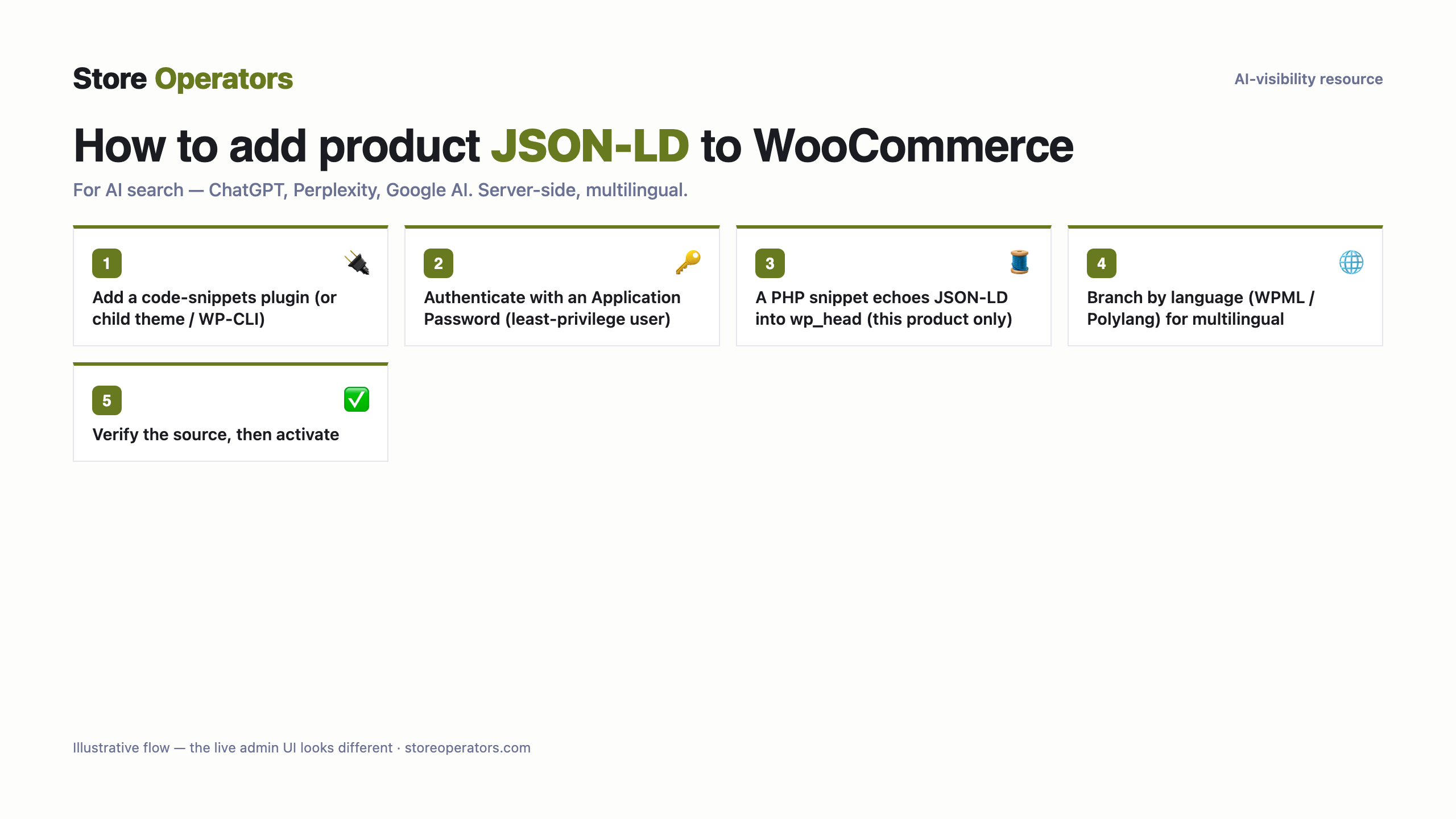
For a developer
- JSON-LD must render SERVER-SIDE. The WordPress/WooCommerce REST API cannot edit theme PHP, so use ONE of: (a) a code-snippets plugin (Code Snippets or WPCode) with a PHP snippet; (b) your child theme's functions.php via SFTP/SSH; or (c) the lightweight Store Operators helper plugin if you want it auto-maintained across the whole catalogue.
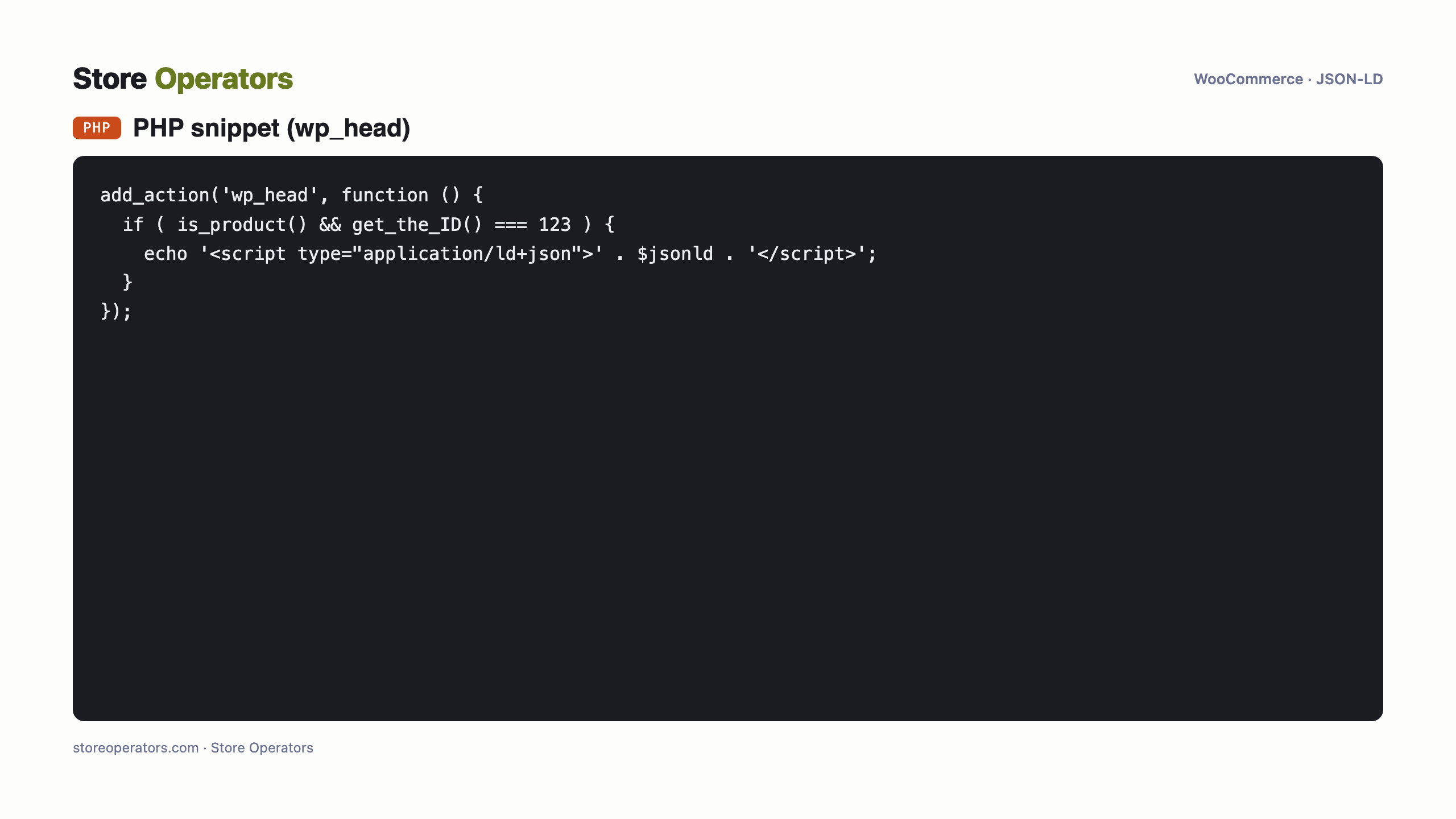
- Add a PHP snippet that hooks `wp_head` (or `woocommerce_before_single_product`) and echoes the JSON-LD `<script type="application/ld+json">` ONLY on this product: guard with `if (is_product() && get_the_ID() === <product-id>)`. Find <product-id> in the WooCommerce admin (Products → the product → the `post` ID in the URL).
- Multilingual (WPML / Polylang): branch on the current language (`get_locale()` / `ICL_LANGUAGE_CODE` / `pll_current_language()`) and echo THAT language's JSON-LD, so each language version of the product serves its own (single-language store — no branch needed).
- Avoid the product-description field for the `<script>`: WordPress may strip it via `wp_kses` depending on the editing user's capability (`unfiltered_html`), so it's unreliable. Emit it via `wp_head` instead.
Multilingual = branch by current language in the snippet (WPML/Polylang) OR let the Store Operators plugin serve per-locale automatically. Each language version of the product must emit its own language's JSON-LD.
View source on the product URL (each language): `application/ld+json` present and valid.
The exact code
Prompt for your AI agent — connect WooCommerce & implement
A complete copy-paste prompt for your own AI agent (Claude / ChatGPT). It tells the agent how to connect to your WooCommerce store and implement the JSON-LD for you — with safe-write discipline: backup, preview, verify, and your approval before publishing.
You are helping me add AI-search JSON-LD to ONE product on my WooCommerce (WordPress) store, safely.

SAFETY (follow exactly, in order):
  1. Back up first: duplicate the current theme (or export it) BEFORE any write. No exceptions.
  2. Work on an UNPUBLISHED copy / preview — never edit the live theme directly.
  3. Use a least-privilege token: only the scopes the task needs.
  4. After each change, VERIFY (fetch the page, confirm the JSON-LD renders and is valid).
  5. Do NOT publish. Show the human the preview and the verification, and let the human approve the publish.
  6. Keep the rollback ready: if anything looks wrong, restore the backed-up theme.

ACCESS:
  - I will give you either WP-CLI/SSH access, or admin + a code-snippets plugin (Code Snippets/WPCode). Code injection needs one of these — the WooCommerce REST key alone CANNOT add theme code.

TASK:
  - Product URL: https://your-store.com/product/your-product. Store locales: your primary language.
  1. Back up first: export the active/child theme (or the current snippets).
  2. Add a PHP snippet (via the snippets plugin, or a child-theme mu-plugin via WP-CLI/SSH) that hooks `wp_head` and echoes the JSON-LD `<script type="application/ld+json">` ONLY on this product (`is_product() && get_the_ID() === <product-id>`). Avoid the product-description field (WordPress may strip scripts via wp_kses depending on user capability).
  3. If the store uses WPML/Polylang, branch on the current language and echo that language's JSON-LD (ask me for each language's JSON-LD — Outcite generates one per language).
  4. VERIFY: fetch the product URL (each language) and confirm `application/ld+json` is present and valid.
  5. STOP and show me the result. I activate/publish the snippet myself.

JSON-LD to inject:
{}
Questions people ask their AI
- What is the prompt to connect Claude to WooCommerce to add product JSON-LD?
- Use the runbook on this page — paste it into Claude. It connects to your WooCommerce store with your own credentials and adds the schema.org JSON-LD, with backup, preview, verification and your approval before publishing.
- How do I connect ChatGPT to my WooCommerce store to add schema.org JSON-LD?
- The same runbook works for ChatGPT (or any capable AI agent): it authenticates to your store and injects the JSON-LD server-side, safely, and stops for your approval before publishing.
- Can an AI agent add product JSON-LD to WooCommerce for AI search (ChatGPT, Perplexity, Google AI)?
- Yes — server-side (client-side-only JavaScript is not reliably seen by AI crawlers). Do it with the agent runbook here, hand it to a developer, or have Store Operators do it for you.
Sources
Get found and recommended by AI
Store Operators makes your store AI-visible and agent-ready — from a free audit to a done-for-you data layer and agentic commerce.