Add product JSON-LD to Shopify (for developers and for your AI agent)
The exact, verified way to put AI-search JSON-LD on a Shopify product page — server-side, and multilingual. Do it yourself with the steps below, hand the runbook to your AI agent, or let Store Operators do it for you.
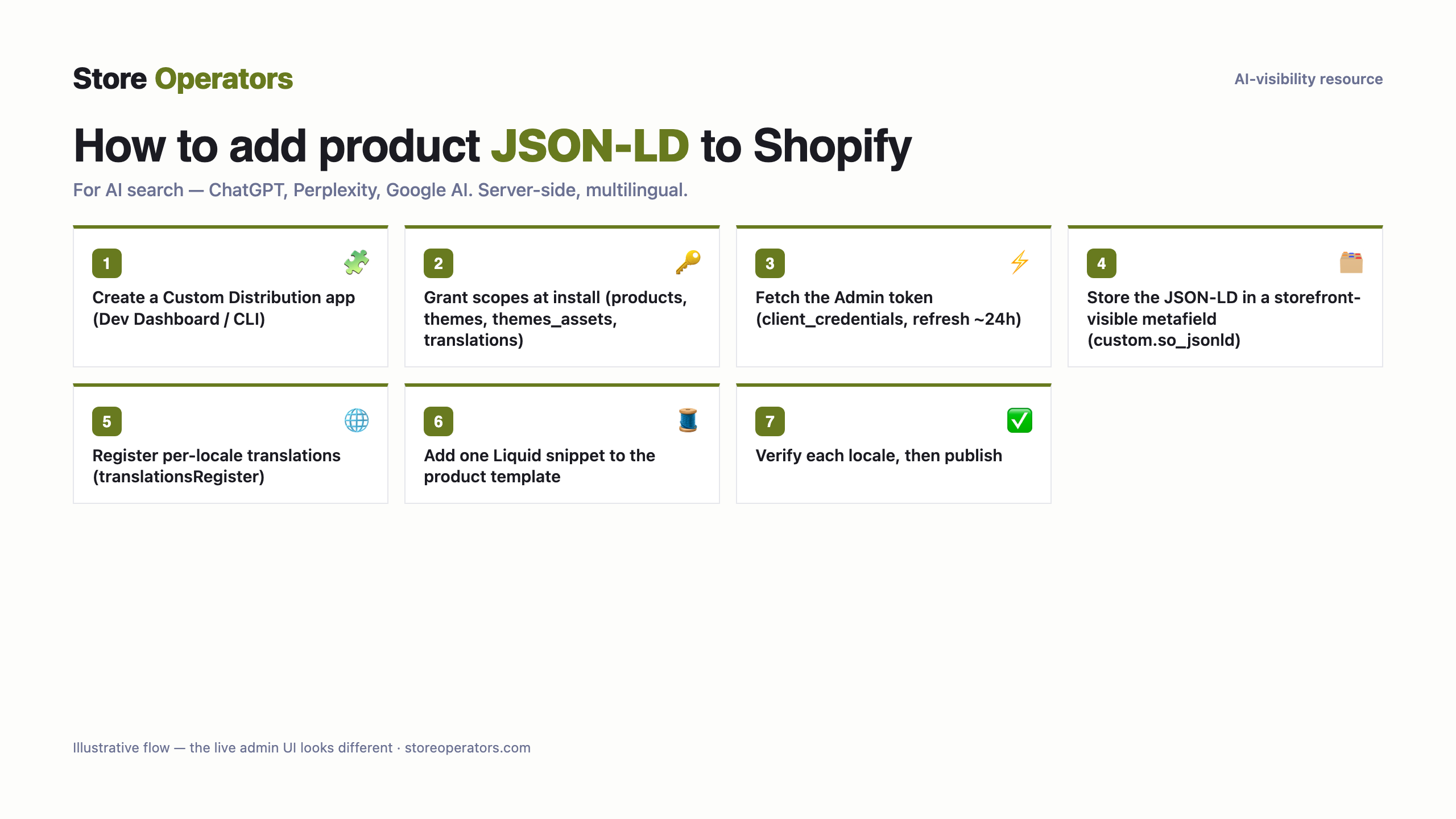
For a developer
- Create a metafield definition `custom.so_jsonld` (type: JSON / multi-line text; scope: Products) in Settings → Custom data → Products, and make it storefront-visible / publicly accessible — that accessibility (not a per-field 'translatable' toggle, which doesn't exist) is what lets it carry per-locale translations.
- Set its value on this product (handle `your-product`) to the generated JSON-LD (below). This is the your primary language version.
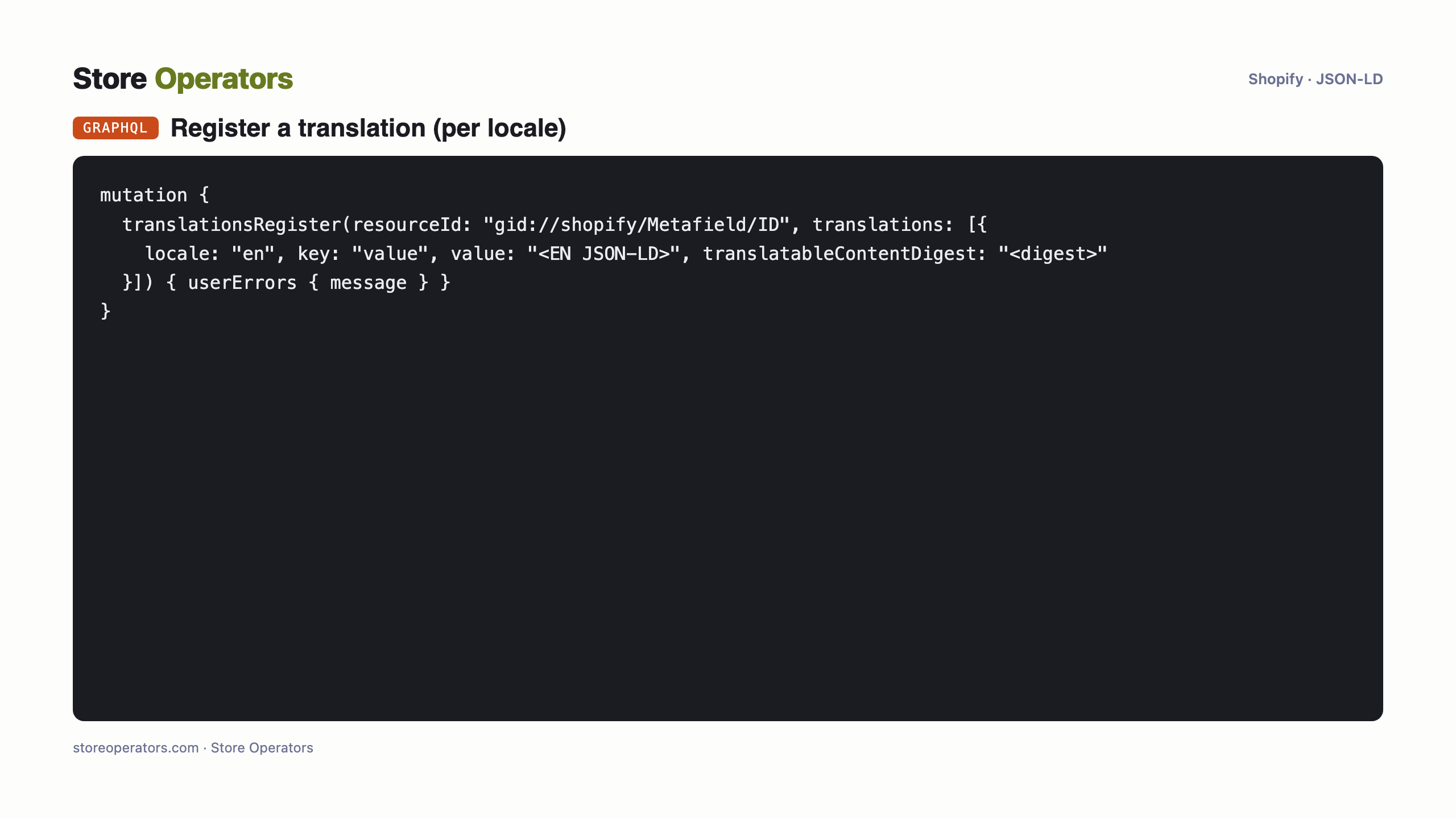
- Register the OTHER languages of this product as translations of that SAME metafield (none detected — single-language store). Each locale gets that language's JSON-LD as the metafield translation (Translate & Adapt, or Admin GraphQL `translationsRegister` with `write_translations`). This is why Outcite generates the content per language: a hard-coded block in theme code is NOT seen by Shopify's translation system.
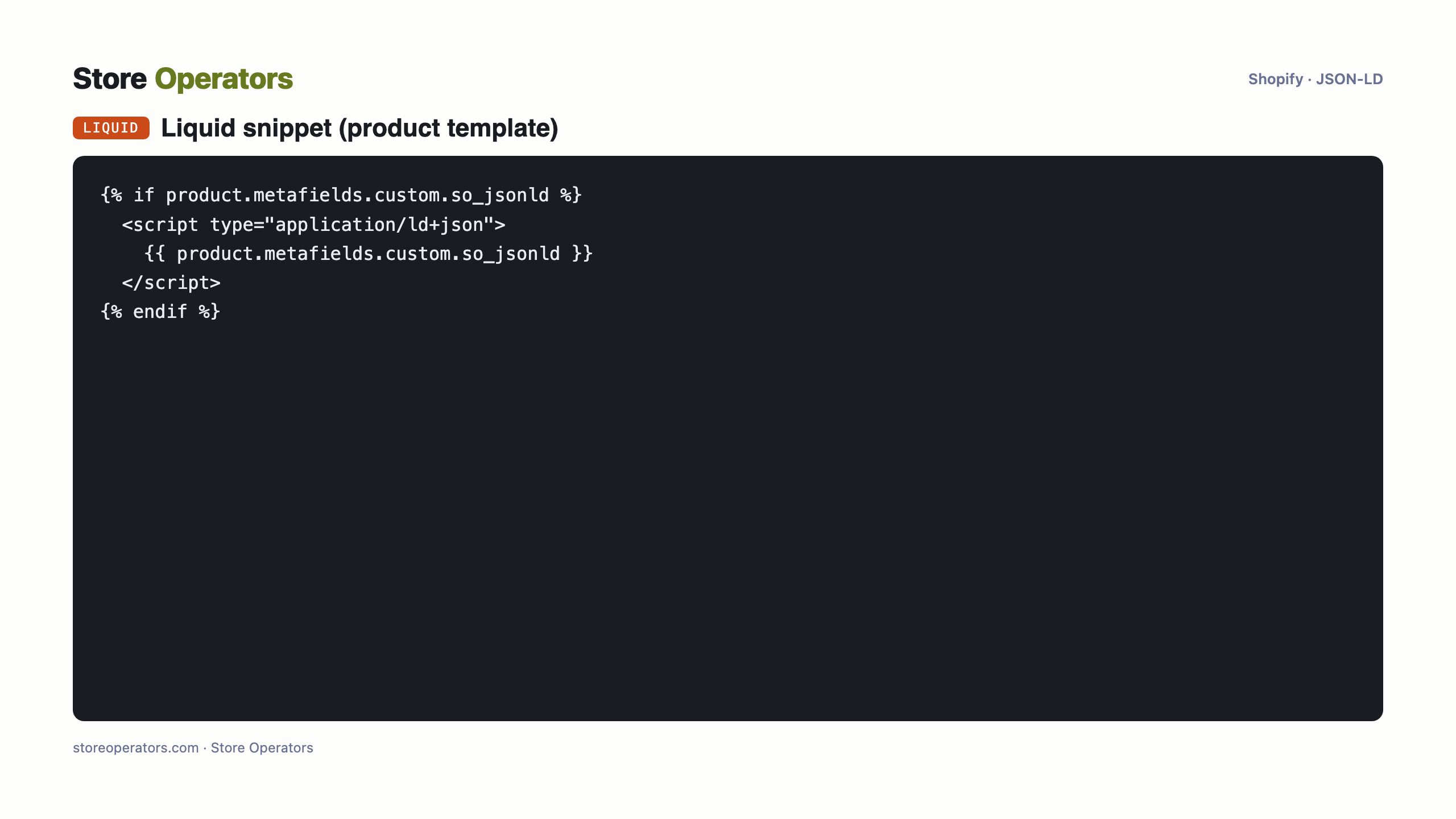
- Add a one-line snippet to the product template so the theme prints the metafield (it renders the ACTIVE locale's value automatically): `{% if product.metafields.custom.so_jsonld %}<script type="application/ld+json">{{ product.metafields.custom.so_jsonld }}</script>{% endif %}` — add via Online Store → Themes → Edit code → product template (or a `so-jsonld.liquid` snippet rendered there), using the Asset API / Shopify CLI.
- Because the snippet only references the metafield, ONE snippet serves every localized URL correctly — no per-language pasting.
Multilingual is handled by the metafield's TRANSLATIONS, not by code. One product with N language versions = one metafield with N translations + one Liquid snippet. Outcite must generate the JSON-LD per language (run once per locale, or batch) so each translation is populated. Never hard-code enriched text in the theme — Shopify's translation system can't see it.
View source on each locale's product URL: `application/ld+json` present, valid JSON, correct language.
The exact code
Prompt for your AI agent — connect Shopify & implement
A complete copy-paste prompt for your own AI agent (Claude / ChatGPT). It tells the agent how to connect to your Shopify store and implement the JSON-LD for you — with safe-write discipline: backup, preview, verify, and your approval before publishing.
You are helping me add AI-search JSON-LD to ONE product on my Shopify store, safely.

SAFETY (follow exactly, in order):
  1. Back up first: duplicate the current theme (or export it) BEFORE any write. No exceptions.
  2. Work on an UNPUBLISHED copy / preview — never edit the live theme directly.
  3. Use a least-privilege token: only the scopes the task needs.
  4. After each change, VERIFY (fetch the page, confirm the JSON-LD renders and is valid).
  5. Do NOT publish. Show the human the preview and the verification, and let the human approve the publish.
  6. Keep the rollback ready: if anything looks wrong, restore the backed-up theme.

CONTEXT:
  - Store platform: Shopify. Product handle: your-product. Product URL: https://your-store.myshopify.com/products/your-product
  - Store locales to cover: your primary language (primary: your primary language).

CREDENTIAL — get the Admin API token (this is the step to get right):
  - Creating NEW legacy in-admin custom apps ('Settings -> Apps -> Develop apps') is blocked as of Jan 1 2026. Create the app in the Shopify Partner/Dev Dashboard (or via the Shopify CLI) instead.
  - Create a CUSTOM DISTRIBUTION app and install it on the store. Grant these scopes AT INSTALL: read_products, write_products, read_themes, write_themes, write_themes_assets, read_translations, write_translations. (This task touches NO protected customer data, so a staff admin can install it. Adding a scope later means releasing a new app version and the store approving the added scope -- a re-auth step -- so grant what is needed now.)
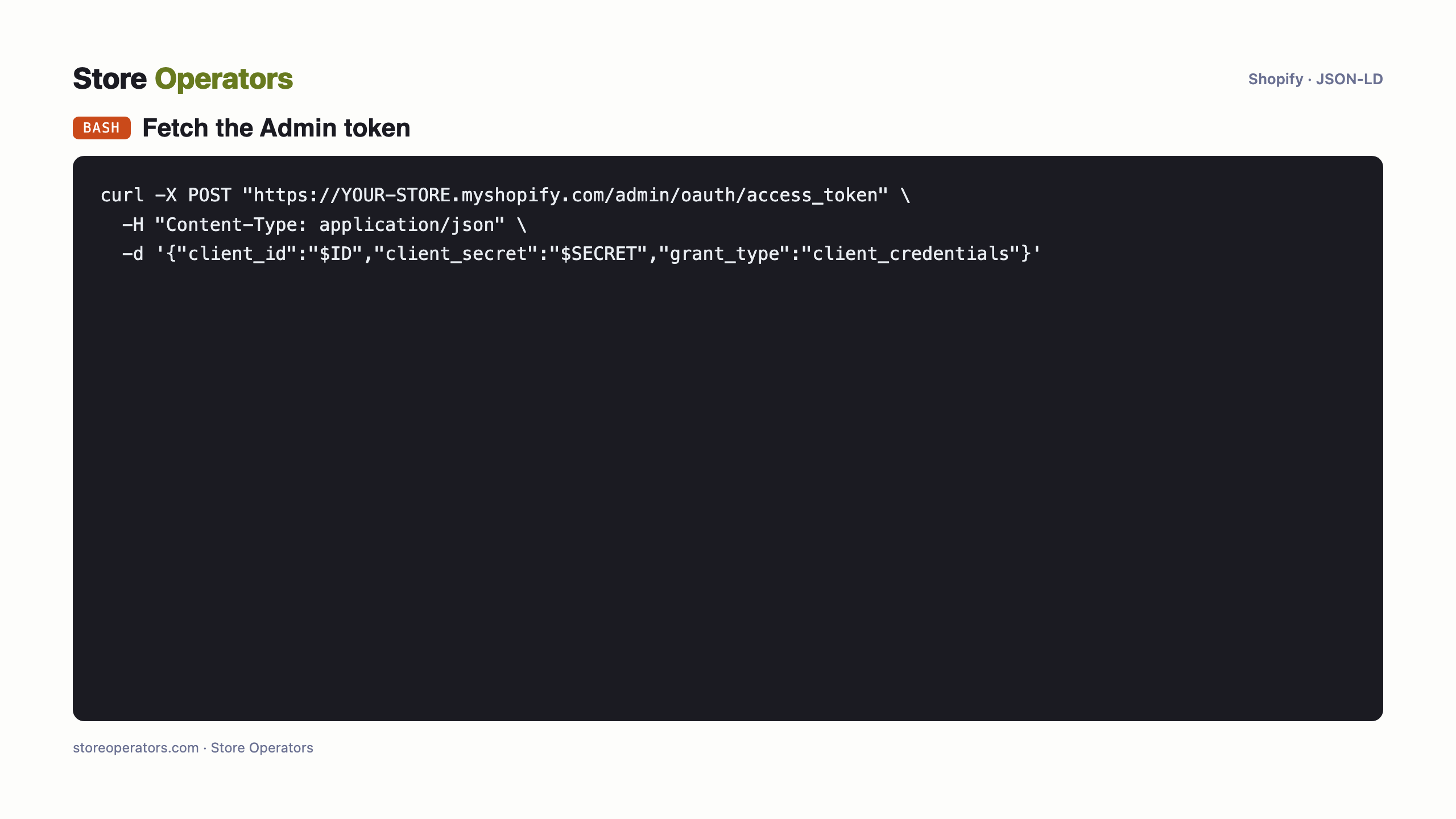
  - Installing does NOT reveal a token. Fetch it: copy the app's Client ID + API secret key from its Dev Dashboard page (or run `npx shopify app env show` once), then POST a client_credentials request to https://<store>.myshopify.com/admin/oauth/access_token to receive the Admin API access token (expires in ~24h, so refresh it before each run with the same one-line fetch). NOTE: the app's API SECRET is NOT the access token -- using the secret directly returns 401.
  - Put the token in .env as SHOPIFY_ACCESS_TOKEN; reference it by name; never print its value.

TASK:
  1. Create a translatable metafield definition `custom.so_jsonld` (JSON / multi-line text, Products scope, Translatable).
  2. Set its value on product `your-product` to the your primary language JSON-LD I provide below.
  3. For each other locale (none), register the corresponding-language JSON-LD as a translation of that metafield via Admin GraphQL `translationsRegister`.
  4. Add this snippet to the product template so the theme prints the metafield (do this on an UNPUBLISHED theme copy):
     {% if product.metafields.custom.so_jsonld %}<script type="application/ld+json">{{ product.metafields.custom.so_jsonld }}</script>{% endif %}
  5. VERIFY on the preview: fetch the product URL for each locale and confirm the <script application/ld+json> is present and is valid JSON in the right language.
  6. STOP. Show me the preview links + verification. I will approve the publish myself.

PRIMARY-LOCALE (your primary language) JSON-LD:
{}

For the other locales, ask me for each language's JSON-LD (Outcite generates one per language) before registering its translation.
Questions people ask their AI
- What is the prompt to connect Claude to Shopify to add product JSON-LD?
- Use the runbook on this page — paste it into Claude. It connects to your Shopify store with your own credentials and adds the schema.org JSON-LD, with backup, preview, verification and your approval before publishing.
- How do I connect ChatGPT to my Shopify store to add schema.org JSON-LD?
- The same runbook works for ChatGPT (or any capable AI agent): it authenticates to your store and injects the JSON-LD server-side, safely, and stops for your approval before publishing.
- Can an AI agent add product JSON-LD to Shopify for AI search (ChatGPT, Perplexity, Google AI)?
- Yes — server-side (client-side-only JavaScript is not reliably seen by AI crawlers). Do it with the agent runbook here, hand it to a developer, or have Store Operators do it for you.
Sources
- Legacy custom apps can't be created after Jan 1 2026 (Shopify changelog)
- Shopify Admin API — access tokens (incl. client_credentials)
- Shopify themeFilesUpsert (theme file writes; needs write_themes_assets)
- Shopify — manage translated content (metafields via translationsRegister)
- Shopify Liquid translate filter (only locale-file strings translate)
- Google — generate structured data with JavaScript (Google renders JS)
- Independent AI-crawler behaviour testing (JS execution)
Get found and recommended by AI
Store Operators makes your store AI-visible and agent-ready — from a free audit to a done-for-you data layer and agentic commerce.