Lisää tuote-JSON-LD Magento / Adobe Commerceiin (devaajalle ja tekoälyagentillesi)
Tarkka, varmennettu tapa saada AI-haun JSON-LD Magento / Adobe Commerce-tuotesivulle — server-side ja monikielinen. Tee itse alla olevilla askeleilla, anna runbook tekoälyagentillesi, tai anna Store Operatorsin hoitaa se puolestasi.
Devaajalle
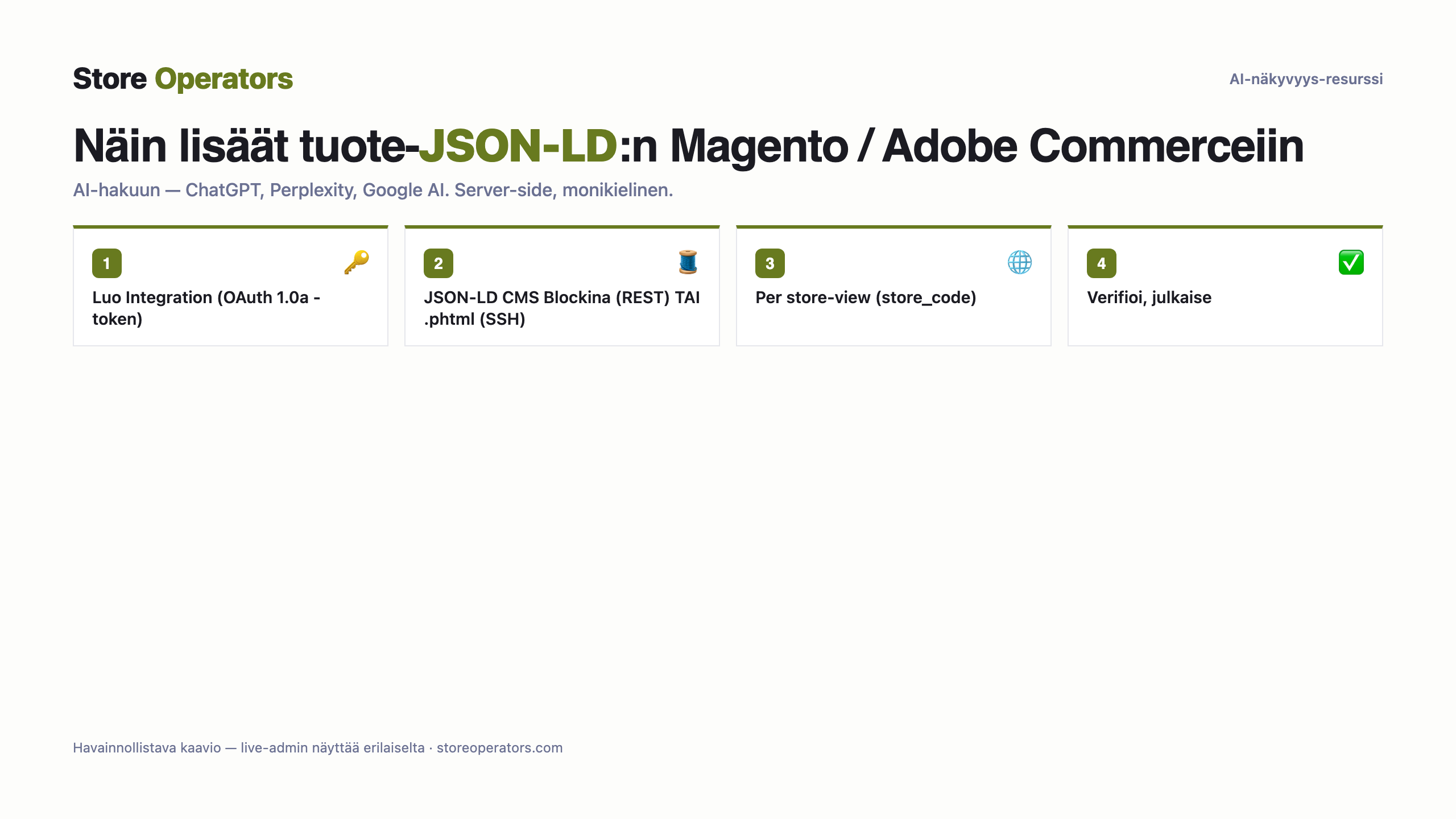
- Auth on OAuth 1.0a (integration-token; admin bearer -tokenit vanhenevat 4 h ja vaativat 2FA:n). Luo Integration vakaan tokenin saamiseksi.
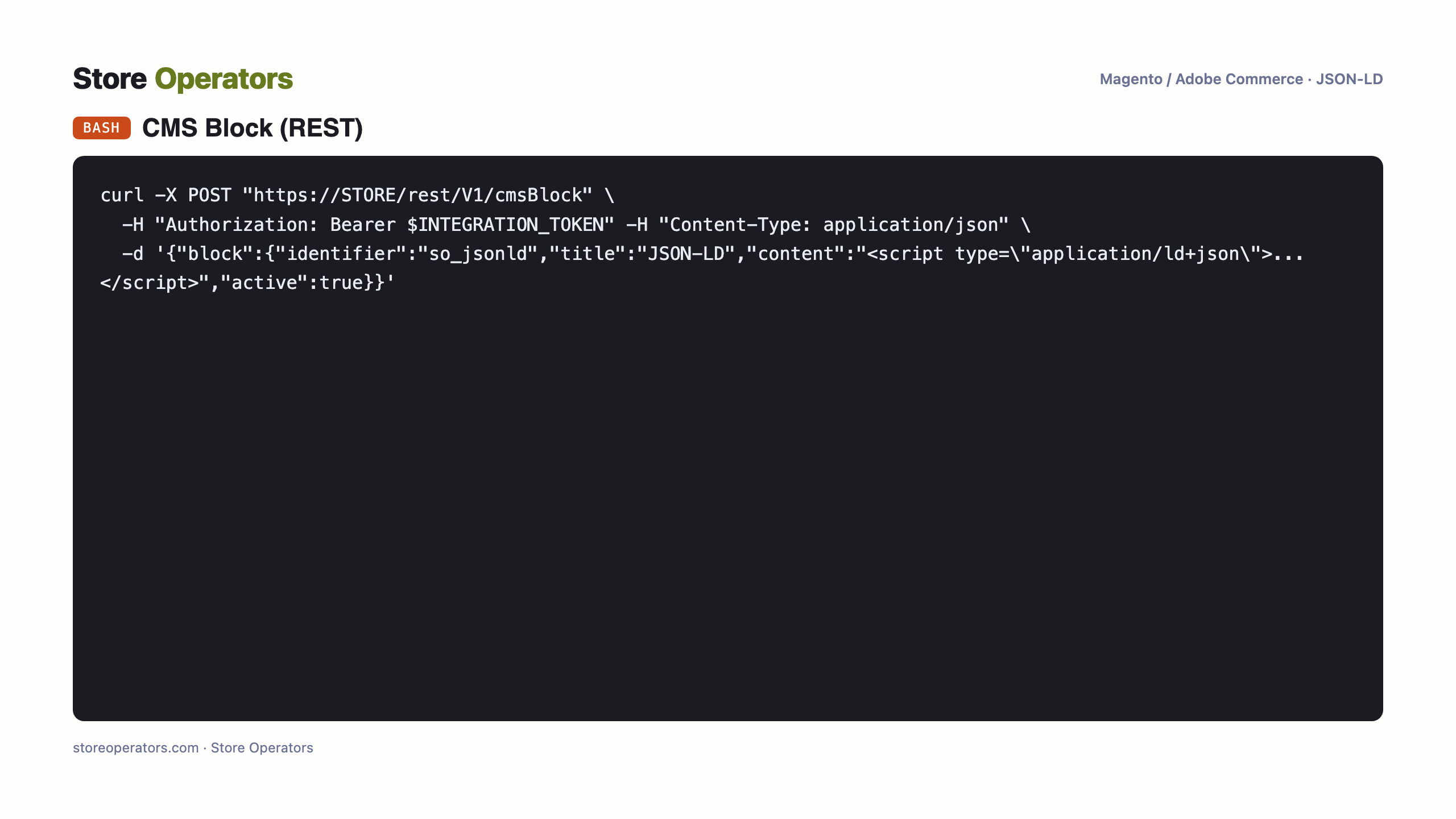
- Nopein server-side-reitti: luo/päivitä CMS Block REST:llä (POST /V1/cmsBlock) jonka sisällössä on JSON-LD-`<script>`, ja SIJOITA lohko tuotesivulle widgetillä tai layout-XML:llä (REST:llä luotu lohko ei näy ennen sijoitusta); tai muokkaa teeman .phtml SSH:lla.
- Per store-view: skooppaa store-koodilla reitissä (/rest/<store_code>/V1/...) ja tulosta sen store-view'n JSON-LD.
Per store-view store-koodilla REST-reitissä; tulosta sen näkymän JSON-LD.
Katso tuote-URLin lähdekoodi per store-view: application/ld+json läsnä.
Tarkka koodi
Prompti tekoälyagentillesi — yhdistä Magento / Adobe Commerce & toteuta
Valmis kopioi–liitä-prompti omalle tekoälyagentillesi (Claude / ChatGPT). Se kertoo agentille miten se yhdistää Magento / Adobe Commerce-kauppaasi ja toteuttaa JSON-LD:n puolestasi — turvakurilla: varmuuskopio, esikatselu, verifiointi ja sinun hyväksyntäsi ennen julkaisua.
You are helping me add AI-search JSON-LD to ONE product on my Magento / Adobe Commerce store, safely.

SAFETY (follow exactly, in order):
  1. Back up first: duplicate the current theme (or export it) BEFORE any write. No exceptions.
  2. Work on an UNPUBLISHED copy / preview — never edit the live theme directly.
  3. Use a least-privilege token: only the scopes the task needs.
  4. After each change, VERIFY (fetch the page, confirm the JSON-LD renders and is valid).
  5. Do NOT publish. Show the human the preview and the verification, and let the human approve the publish.
  6. Keep the rollback ready: if anything looks wrong, restore the backed-up theme.

CONTEXT: Product URL: https://your-store.example/product/your-product. Store locales: your primary language.

ACCESS:
  A Magento/Adobe Commerce Integration token (OAuth 1.0a); or SSH + bin/magento for theme .phtml edits.

TASK:
  1. Create an Integration and use its OAuth 1.0a token.
  2. POST the JSON-LD as a CMS Block (/V1/cmsBlock) and render it on the product page — OR edit the theme .phtml over SSH.
  3. Scope per store-view (/rest/<store_code>/V1/...) for multilingual, verify the source, then have the human publish.

JSON-LD to inject:
{}
Mitä ihmiset kysyvät tekoälyltään
- Mikä on prompti jolla yhdistän Clauden Magento / Adobe Commerce-kauppaan lisätäkseni tuote-JSON-LD:n?
- Käytä tämän sivun runbookia — liitä se Claudeen. Se yhdistää Magento / Adobe Commerce-kauppaasi omilla tunnuksillasi ja lisää schema.org-JSON-LD:n, varmuuskopiolla, esikatselulla, verifioinnilla ja sinun hyväksynnälläsi ennen julkaisua.
- Miten yhdistän ChatGPT:n Magento / Adobe Commerce-kauppaani lisätäkseni schema.org-JSON-LD:n?
- Sama runbook toimii ChatGPT:llä (tai millä tahansa kyvykkäällä agentilla): se kirjautuu kauppaasi ja injektoi JSON-LD:n server-side, turvallisesti, ja pysähtyy hyväksyntääsi ennen julkaisua.
- Voiko tekoälyagentti lisätä tuote-JSON-LD:n Magento / Adobe Commerceiin AI-hakua varten (ChatGPT, Perplexity, Google AI)?
- Kyllä — server-side (pelkkää client-side-JavaScriptiä AI-crawlerit eivät luotettavasti näe). Tee se tämän sivun agentti-runbookilla, anna devaajalle, tai anna Store Operatorsin hoitaa se.
Lähteet
Näy ja tule suositelluksi tekoälyssä
Store Operators tekee kaupastasi AI-näkyvän ja agenttivalmiin — ilmaisesta auditista puolestasi rakennettuun datalayeriin ja agenttiseen kauppaan.